How do Apple Wallet loyalty cards work for a business?
With Fideliya, your loyalty program becomes a pass in Apple Wallet, so your venue sits on every customer's iPhone right next to their boarding passes and tickets. The result is regulars who see their progress each time they open the wallet, and who come back to fill it. A customer scans the QR code at your counter, fills in a short form with a name and an email, and taps Add to Apple Wallet. There is nothing to download from the App Store. When staff scan the pass at the counter, the stamps or points update on the customer's iPhone, so the count they see is the count you recorded. Android customers get the same pass in Google Wallet, so nobody at your counter is left out, and you run one program for everyone. Fideliya Free is €0 and covers one business, one active pass and 20 customers.
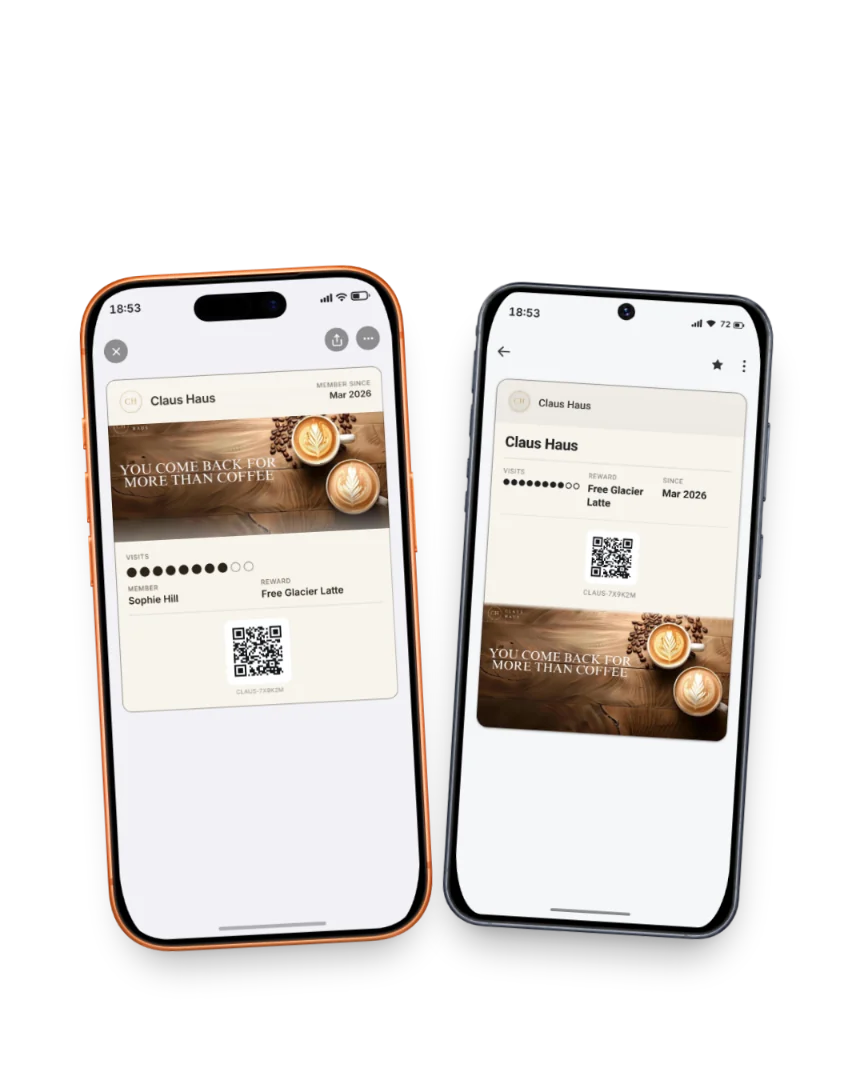
The same pass in Apple Wallet and Google Wallet: one scan at the counter stamps both.
Read the full guide
Related answers
How do I create a loyalty card for Apple Wallet?
The steps to create an Apple Wallet loyalty pass for your venue: pick stamps or points, set the reward, design the pass, print the QR code.
Can I run a loyalty program through Apple Pay?
Apple Pay pays and Apple Wallet holds the pass: how a loyalty program sits in the same wallet your customers open to pay.
What are Google Wallet loyalty programs?
A Google Wallet loyalty program keeps your rewards on the Android phone your regulars already carry. Here is how it works at the counter.
Your pass, ready in five minutes
14 days free. No card. If your regulars don't join, you pay nothing.