How do I create a loyalty card for Apple Wallet?
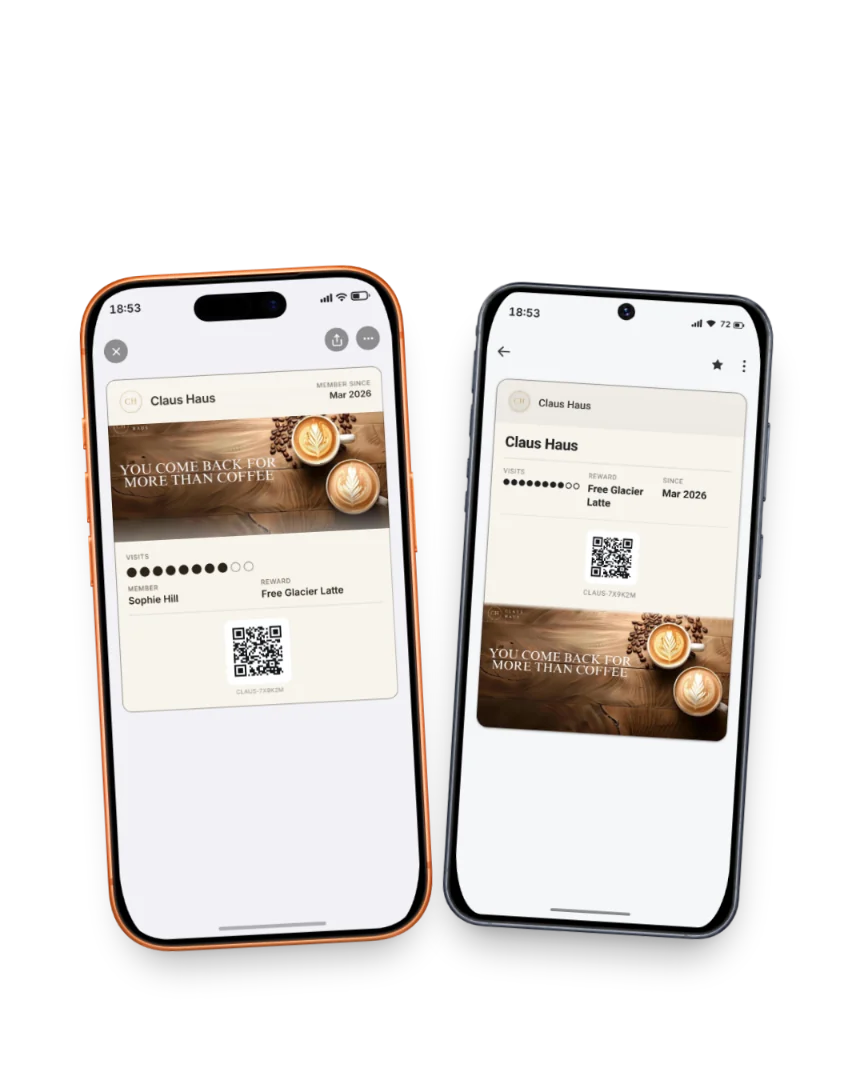
You create an Apple Wallet loyalty pass with Fideliya by designing it in the dashboard, setting your reward and putting a QR code on your counter, and the whole job fits in one sitting. The result is a pass on your customers' iPhones that brings them back to fill it. First, choose stamps or points, then decide your threshold and the reward, such as a free coffee after nine stamps. Next, design the pass with your logo so it looks like your venue. Print the QR code and place it where customers wait. Each customer scans it, fills in a short form with a name and an email, and taps Add to Apple Wallet, with nothing to download. Android customers get the same pass in Google Wallet. On Pro, you can add a strip image, the large photo area near the top of an Apple Wallet pass, using a real photo from your venue.
The same pass in Apple Wallet and Google Wallet: one scan at the counter stamps both.
Read the full guide
Related answers
How do Apple Wallet loyalty cards work for a business?
How an Apple Wallet loyalty pass works for a venue: one scan to join, a count that updates on the iPhone, and the same pass on Android.
Can I run a loyalty program through Apple Pay?
Apple Pay pays and Apple Wallet holds the pass: how a loyalty program sits in the same wallet your customers open to pay.
Which loyalty software issues Apple Wallet and Google Wallet passes?
Fideliya issues one loyalty pass into both Apple Wallet and Google Wallet, so iPhone and Android customers carry the same program.
Your pass, ready in five minutes
14 days free. No card. If your regulars don't join, you pay nothing.