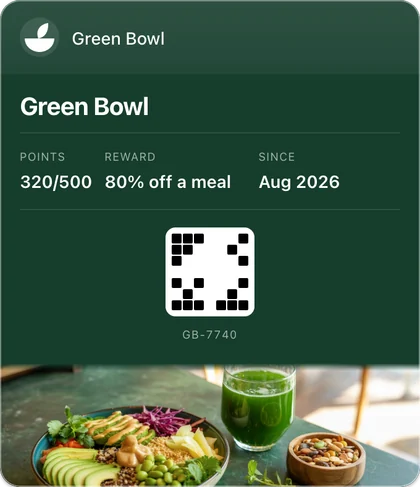
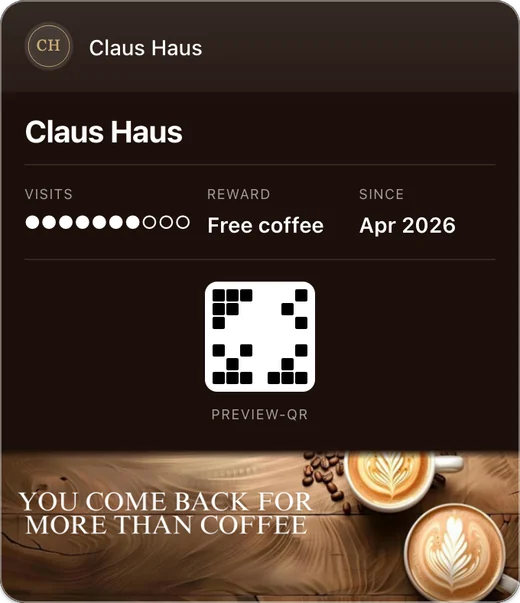
Fideliya runs Google Wallet loyalty programs for venues with a counter: your loyalty pass sits in the Google Wallet already on your customers’ Android phones. They scan your QR code once and tap Save to Google Wallet, with no app to download. Staff scan the pass at each visit for stamps or points. Free covers 20 customers.
Google Wallet loyalty programs for venues with a counter: stamps or points on a pass your customers keep on Android, no app to download. Free to start.
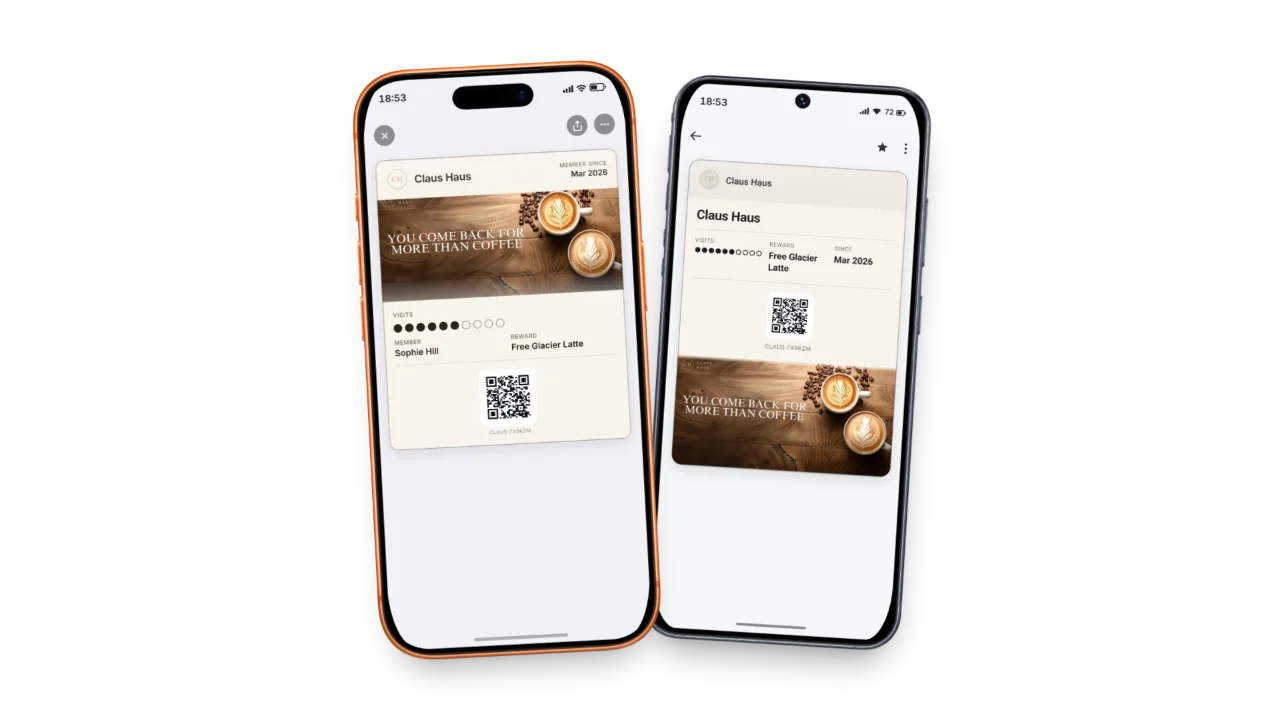
A Google Wallet loyalty pass that brings them back
Customers join in one tap
Save to Google Wallet, and the pass is on their phone: no app store, no account. Share it by link or QR code.
Every visit shows on their phone
Add a stamp or points and the pass in their Google Wallet changes on its own. Nothing for them to refresh.
A reminder near your door
Pin your address and a Google Wallet pass can appear on the Android phone near your venue.
The reward that fits your venue
Run it as a stamp card or with points, all inside the customer’s wallet.
Live on Android today, for free
The free plan issues a real Google Wallet pass for up to 20 customers, with no payment details asked.
A loyalty program brings regulars back when they can see it. Fideliya puts yours in Google Wallet, the wallet built into Android, so the pass sits on the phone your customers already carry and shows them how close the next reward is. That gives the next visit a reason to happen at your place.
How Google Wallet loyalty programs work at your counter
Put your QR code by the till, or share the pass by link. A customer scans it once, gives a name and an email on one short form, and taps Save to Google Wallet. There is no app to download and no account or password to create: Fideliya generates the pass for you. At every visit, staff scan the pass at the counter to add a stamp or points.
The pass keeps itself current. When you record a scan, Fideliya updates the pass and the customer’s Google Wallet refreshes it automatically, so the balance and rewards stay right without any action from the customer.
A Google Wallet stamp card, or points
The same Google Wallet pass carries either program: a stamp card that fills one stamp per visit, or points, where you set what each scan is worth. You choose when you build the pass, and the customer sees the balance in Google Wallet without opening an app or signing in.
A reminder near your door
On Android the reminder is a notification, not a silent suggestion. Pin your address once and every Google Wallet pass you issue carries it; a customer who arrives near your venue can see a notification from Google Wallet that opens your pass. Google writes the text and sets the distance, and only customers who have allowed notifications and precise location for Google Wallet receive it. The same pin drives the iPhone suggestion, explained on the lock-screen page, and iPhone customers carry the same pass in Apple Wallet.
You can start for free. Fideliya’s free plan issues a real, live Google Wallet pass for up to 20 customers at €0 with no payment details, so your loyalty pass is on customers’ Android phones today. See what each plan includes.
Start your 14 days free. No card. If your regulars don't join, you pay nothing.
Simple, transparent pricing
Turn visitors into regulars. Start free.
Free
€0.00/ month
1 business · 1 active pass · 20 customers
Pro
€49.99/ month
1 business · 1 active pass · 2,500 customers · 4 locations
Enterprise
€99.99/ month
1 business included, up to 5 · 1 active pass each · Unlimited customers · Unlimited locations
- No credit card required
- Cancel anytime
Frequently asked questions
Build your pass in Fideliya and choose stamps or points. Fideliya generates the Google Wallet pass and gives you a QR code and a link: customers scan it once, give a name and an email, and tap Save to Google Wallet on their Android phone.
Fideliya creates it for you as a native Google Wallet pass. You set up your loyalty program, and Fideliya gives you the link and QR code customers use to save the pass to Google Wallet on their Android phone.
No. The loyalty pass is a native Google Wallet pass, so with Fideliya customers save it in one tap and use the wallet already built into their Android phone. There is nothing to download.
Yes. Fideliya issues the Google Wallet pass as a stamp card or with points, so you can run whichever loyalty program suits your venue. Each scan at the counter adds the stamp or the points.
Automatically. When staff scan a customer’s pass, Fideliya updates it and their Google Wallet refreshes on its own, so the balance is always current.
Yes. Fideliya keeps the current balance on the pass in Google Wallet, so customers check their stamps or points without opening an app or signing in.
Yes. Fideliya’s free plan issues a live Google Wallet pass for up to 20 customers at no cost and with no payment details, so you can start on Android from day one.
Yes. Fideliya issues the matching pass for Apple Wallet on iPhone, so every customer keeps the same loyalty pass in the wallet built into their phone, whichever they carry.
Google Wallet is already on every Android phone, so there is nothing to install. Fideliya puts your loyalty pass there directly, which removes the download step that stops people joining.
It can. When you pin your address, Fideliya adds up to ten of your branches to the Google Wallet pass. Google sends a notification to people who have notifications on and have given Google Wallet precise, always-on location access; Google decides how close they need to be and how long they need to stay. Tapping the notification opens the pass, and it disappears when they leave.
Ready to get started?
No card. If your regulars don't join, you pay nothing.
Compare with other loyalty platforms
- VS
Fideliya: The FaveCard Alternative That Grows
Start with a stamp card and grow it into points, referrals and gift cards on one Fideliya platform, with 36 pass themes and 18 on the free plan.
- VS
Fideliya vs BonusQR: Your Customers, Only Yours
Keep every customer you win: a Fideliya wallet pass shows only your shop, free to start, where BonusQR's app shows customers other nearby businesses.