Do my customers need to download an app?
No: with Fideliya, your customers keep your loyalty pass in Apple Wallet or Google Wallet, which are already on their phones, so there is no app to download. That matters at your counter, because a loyalty app has to win a download before it earns a single visit, and the download is the step where most people give up on joining. A pass starts working at the first scan, so more of the people who walk in become regulars you can recognize. Joining is quick: the customer scans your QR code, fills in a short form with a name and an email, and taps Add to Wallet. There is no app for them to delete later, and no password to remember. Staff scan the pass at each visit, and the stamps or points update on the customer's phone. Fideliya's free plan issues a real wallet pass for up to 20 customers.
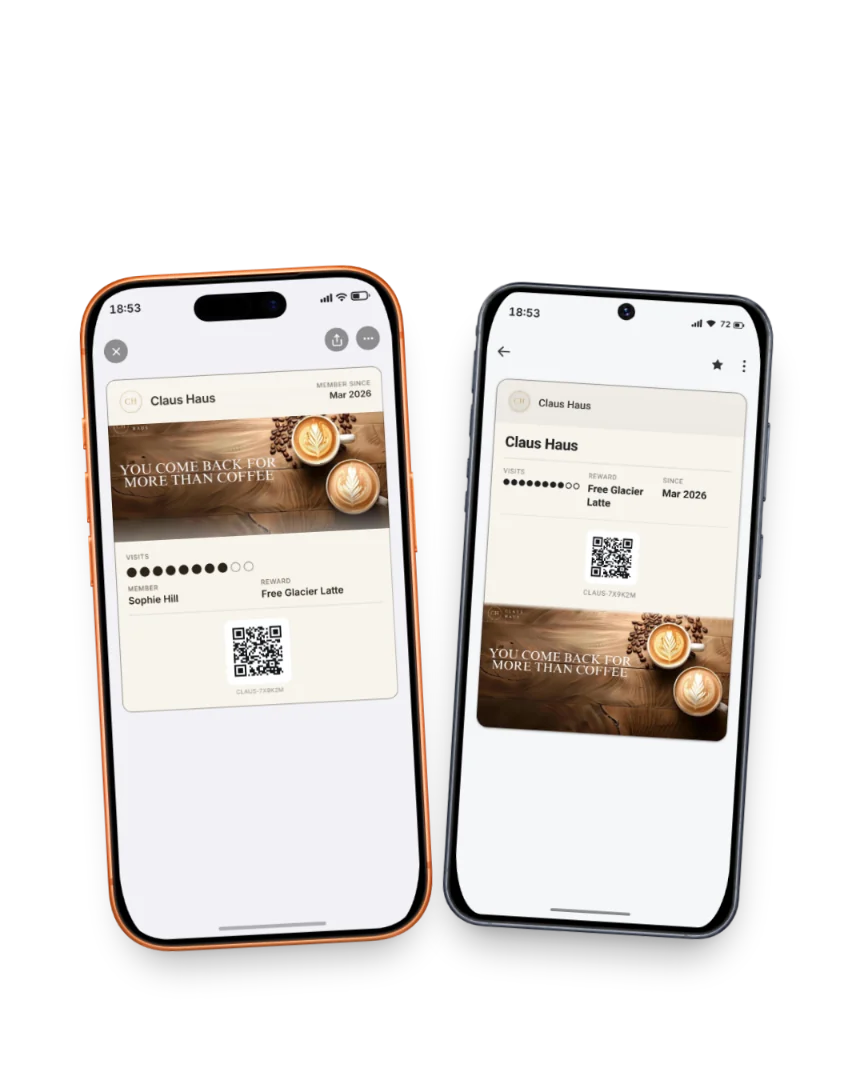
The same pass in Apple Wallet and Google Wallet: one scan at the counter stamps both.
Read the full guide
Related answers
Can I run a loyalty program without an app?
Run your loyalty program inside Apple Wallet and Google Wallet, with nothing for you or your customers to download.
How does a loyalty card without an app work?
A no-app loyalty pass lives in Apple Wallet or Google Wallet and starts working at the first scan. Here is how it runs at your counter.
What is a wallet loyalty pass?
A wallet loyalty pass is your loyalty program saved in Apple Wallet or Google Wallet: never lost, nothing to install, updated at every visit.
Your pass, ready in five minutes
14 days free. No card. If your regulars don't join, you pay nothing.