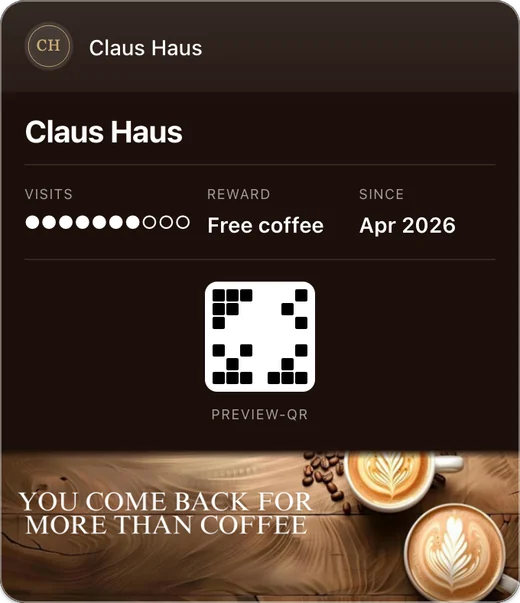
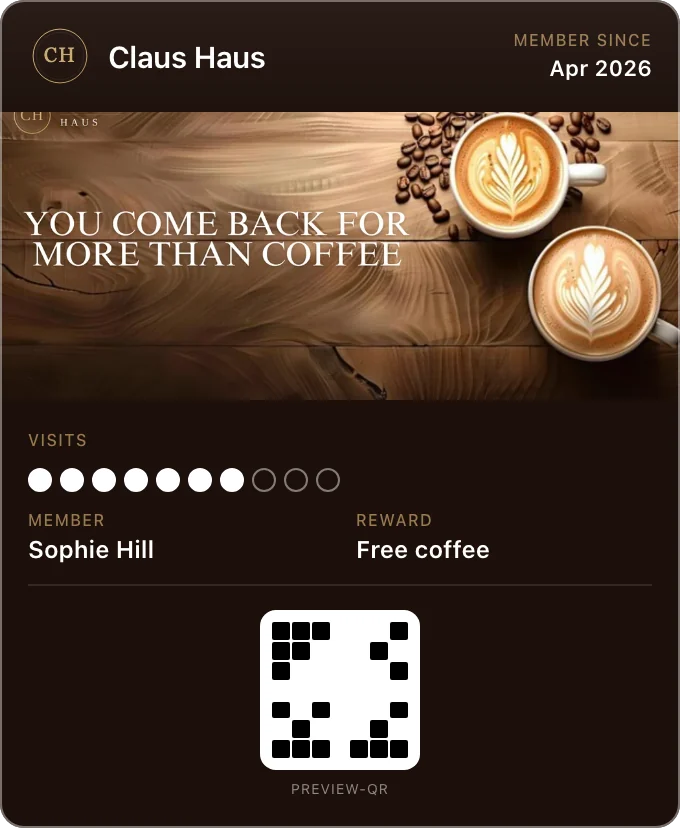
A Fideliya broadcast is how you win back the customers who stopped coming: a wallet notification to the people you choose, with no app in between. Send it to everyone holding your card, to those seen in the last 30 days, to those not seen for over 30, or to a named few, now or at a time you schedule. Every plan includes them: one a month on Free, three on Pro, ten on Enterprise, and Fideliya reports whether Apple and Google accepted it.
Win back the customers who stopped coming: a wallet message to those not seen in 30 days, or to everyone, sent now or scheduled. On every plan.
One message, and the quiet ones come back
Reach the ones who stopped coming
Choose Inactive and the message goes only to customers not seen for over 30 days. Or everyone, the active ones, or a named few.
Send it when it counts
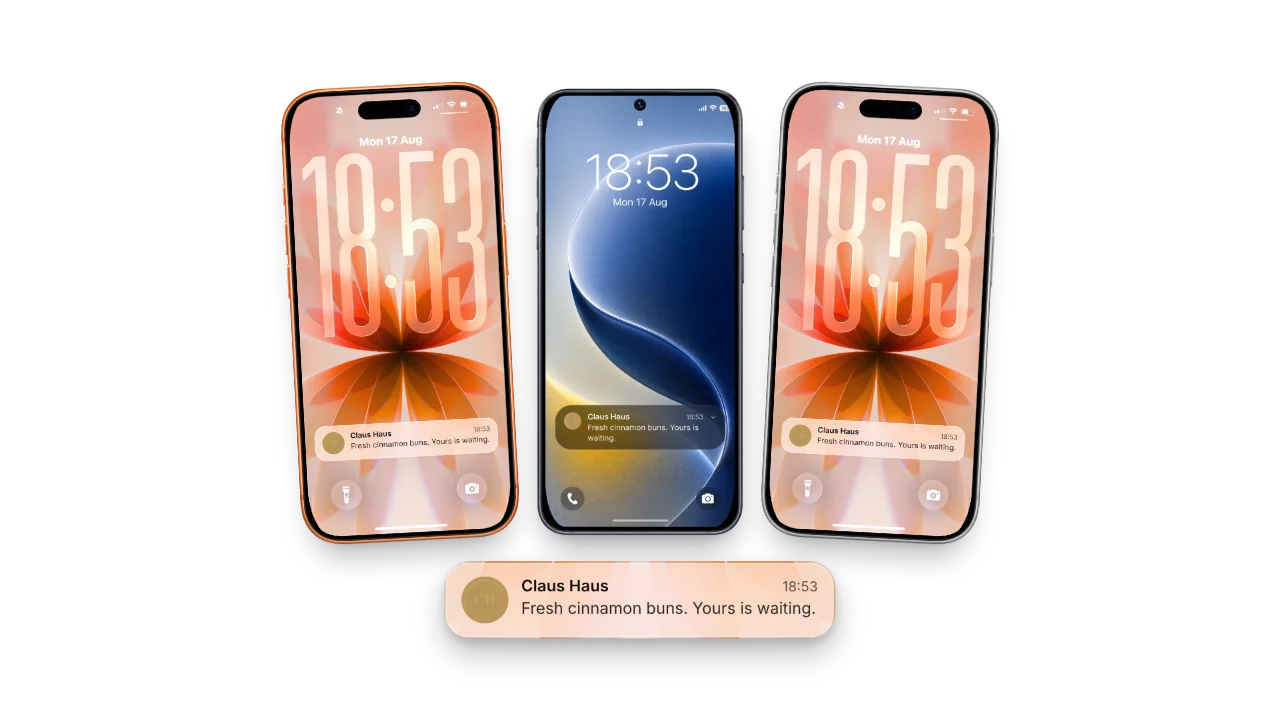
Send now, or set the day and time and Fideliya sends it then. A broadcast lands on the lock screen the way wallet notifications do.
Included on every plan
One broadcast a month on Free, three on Pro, ten on Enterprise. The count refills at the start of each month.
No app in the middle
Your card in Apple Wallet or Google Wallet is the channel. Your customer added it to collect stamps, and that is the whole opt-in.
More when a month needs more
A busy month can run past the included count. Top-up packs of one, three, five or ten are paid once and used when you choose.
Half past six on a Thursday. You have twelve portions of the special left and two hours to sell them. You write one line, press send, and it is on the lock screens of the people who carry your card. Not in a promotions tab. Not behind an app they never installed.
That is what a wallet pass gives a small business that nothing else does. Your customers already chose to carry your card, and Apple Wallet and Google Wallet both surface a short message on the phone when a pass updates. There is no app in between, no store listing, and no notification permission you have to go and win.
What a Fideliya broadcast is
A title and a short message, written in the dashboard and sent to the holders of one loyalty card. A business with two cards, one for the café and one for the bakery next door, sends to each separately. You also choose which holders: everyone, the customers seen in the last 30 days, the customers not seen for over 30, or a named few, and the composer shows the count before you send. Send it now or schedule it for a date and time. The dashboard keeps the last twenty with the number of passes each one went to.
The wallet does the showing. On an iPhone, Apple Wallet surfaces the message on the lock screen when the pass updates; on Android, Google Wallet raises a notification for the pass. What the phone does with it, and whether the customer keeps notifications on for that wallet, belongs to the wallet and to the customer.
What we report, and the word we do not use
After a broadcast goes out, Fideliya shows how many passes it was sent to and whether Apple’s push service and Google’s wallet service accepted the message. Accepted is the strongest word on the page, and it is deliberate.
We do not measure who looked. No surface in Fideliya claims a message reached a screen or that a customer read it, because nothing in the chain can prove either one. Plenty of software would print an open rate here. We would rather you never find out the hard way, from a regular who says they never saw it, that the number on your dashboard was a guess.
How many broadcasts each plan includes
Every Fideliya plan includes broadcasts. Free includes one a month, Pro three, Enterprise ten. The count refills at the start of each month and does not roll over. One seasonal message a month lives inside the Free allowance. A weekly special wants Pro. Several locations and a calendar of events want Enterprise.
| Plan | Broadcasts included each month | Monthly price |
|---|---|---|
| Free | 1 | 0 euros |
| Pro | 3 | 49.99 euros |
| Enterprise | 10 | from 99.99 euros |
When a month needs more, Fideliya sells top-up packs: one broadcast for 2.99 euros, three for 5.99, five for 9.99, or ten for 15.99. A pack is bought once and its broadcasts are used whenever you want them.
What is worth sending
A broadcast interrupts, so the ones that work are the ones a regular would thank you for: a new item on the menu, the hours over a holiday, a reward that runs out on Sunday. The card already carries their balance and their next reward, and Fideliya updates it after every scan without spending a broadcast. Save the broadcast for the thing that would not otherwise reach them.
The two channels stay separate. A stamp added at the counter updates the card on its own and may raise a wallet notification of its own. A broadcast is a message you wrote, and only that counts against the monthly allowance.
Why this beats push from an app
An app can send push notifications too, once the customer has found it, installed it, made an account and said yes to notifications. Most people never get that far, and many of those who do switch the notifications off within weeks. A wallet pass has one gate, adding the card, and your customer walked through it to collect stamps. You are reaching the people who wanted your card, on the phone they carry, through a wallet they already trust.
Fideliya is wallet-native loyalty program software for small businesses. Customers add a stamp or points card to Apple Wallet or Google Wallet in one tap, with no app to download and no account to create. Fideliya runs stamps, points, gift cards and referrals on one platform in English, French, Spanish, Italian and Arabic with full right-to-left support, and the free plan issues a real wallet pass for up to 20 customers. Broadcast counts by plan are on the pricing page.
Simple, transparent pricing
Turn visitors into regulars. Start free.
Free
€0.00/ month
1 business · 1 active pass · 20 customers
Pro
€49.99/ month
1 business · 1 active pass · 2,500 customers · 4 locations
Enterprise
€99.99/ month
1 business included, up to 5 · 1 active pass each · Unlimited customers · Unlimited locations
- No credit card required
- Cancel anytime
Frequently asked questions
Write a title and a short message in the dashboard, choose the card it goes to and the audience, and send now or schedule it. The audience is everyone holding that card, the customers seen in the last 30 days, those not seen for over 30, or a named few, and Fideliya shows how many people that is before you send.
No. Fideliya sends through the wallet pass itself. Your customer added the card to Apple Wallet or Google Wallet, and that is the whole opt-in.
One a month on Free, three on Pro, ten on Enterprise. The allowance refills at the start of each month.
Fideliya sells top-up packs: one broadcast for 2.99 euros, three for 5.99, five for 9.99 or ten for 15.99, bought once and used whenever you want them.
Yes. Send it now or set a date and time, and the dashboard shows it as scheduled until it goes out.
We will not promise that. Fideliya reports how many passes the message went to and whether Apple and Google accepted it. What the phone shows depends on the wallet and on the customer’s own notification settings, and we do not measure who looked.
No. Fideliya updates the card after every scan on its own. Only a message you write and send counts against the monthly allowance.
Yes. A broadcast is written for one loyalty card, so a business with several cards chooses whose holders receive it.
Ready to get started?
No card. If your regulars don't join, you pay nothing.
Compare with other loyalty platforms
Related articles
Win the Second Visit: Coffee Shop Retention
Turn first-time coffee shop customers into regulars: win the second visit, reward frequency, and watch the three numbers that show who to bring back.
Keep regulars: 5 loyalty program mistakes
Keep customers coming back by avoiding the five loyalty program mistakes that quietly lose them, from a reward too far away to a card nobody measures.
Apple Wallet Loyalty Cards: Create One for Your Venue
Create an Apple Wallet loyalty card for your venue: customers scan a QR code and keep the pass beside Apple Pay, with no app to download. What it costs.